


A fitness strap is the better pick if your routine is built around steps, workouts and sleep, and a smartwatch is the better pick if you want notifications, apps and a larger touch screen on your wrist. That answer surprises many shoppers because a longer feature list doesn't make a device more accurate, more comfortable overnight, or easier to live with. The smartwatch or fitness strap decision comes down to what you'll use every day, how often you'll charge it, and which strap connector you're buying into.
Table of Contents
- Is a Smartwatch or a Fitness Strap Better for Your Routine?
- Which Gives More Reliable Health and Sleep Data?
- Can a Fitness Strap Handle Serious Workouts?
- How Much Battery Life Do You Really Need?
- Do Smart Features and a Bigger Screen Justify the Price?
- Does a Standard Strap Fit a Fitness Strap?
- Which Category Fits Your Routine?
- Frequently Asked Questions
Is a Smartwatch or a Fitness Strap Better for Your Routine?
A fitness strap suits a tracking-first routine of steps, workouts and sleep at a lower price, while a smartwatch suits people who want notifications, apps and a larger screen on the wrist, and neither category wins on every count. Choose by your daily routine first, then check the exact model's spec page before you buy.
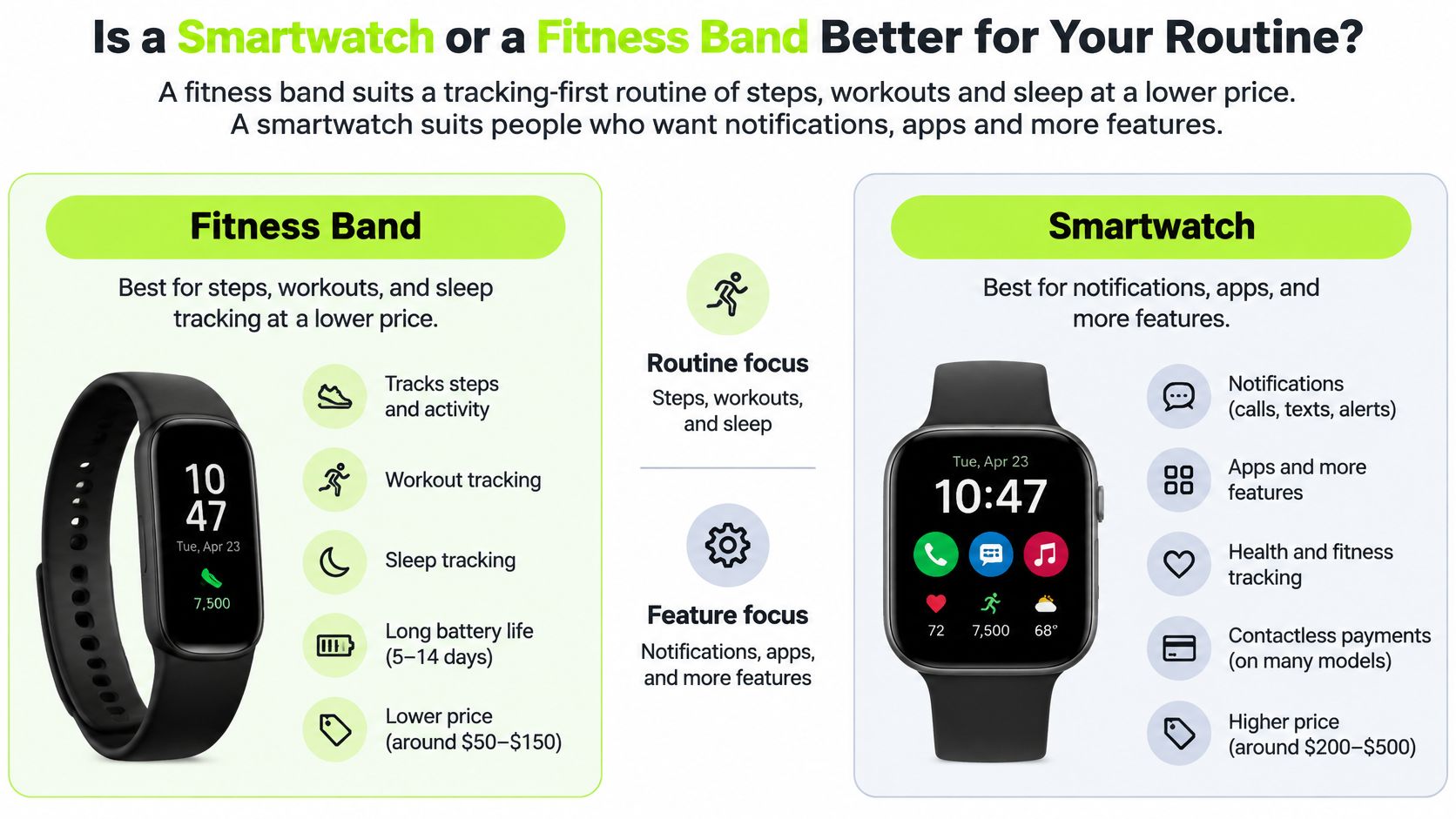
The scale of the choice is broad. The IDC report on global wrist-worn device shipments counted 45.6 million units shipped in the first quarter of 2025, with smartwatches accounting for 34.8 million of those shipments. That mix matters because you're not buying into one standard device. You're choosing between categories with different sizes, screens and strap fittings.
Smartwatch vs fitness strap at a glance
| Criterion | Smartwatch | Fitness strap |
|---|---|---|
| Health and workout tracking | Wider range of workout modes and sensors on many models | Core activity, heart rate and sleep tracking on most models |
| Smart features | Notifications, apps and voice features on many models | Alerts and basic features, fewer apps on most models |
| Battery life | Usually needs charging more often when notifications and apps are on | Usually lasts longer between charges |
| Screen | Larger, touch-driven and more interactive | Smaller or simpler display on most models |
| Comfort | Larger case and wider strap | Slimmer and lighter, often worn day and night |
| Strap connector | Standard quick release on many models, maker-specific on others | Usually a maker-specific connector |
| Price | Generally higher range | Generally lower range |
Read each row as a typical pattern, not a promise about a specific model. A slim smartwatch can feel lighter than a bulky fitness strap, and a feature-rich fitness strap can cost more than an entry-level smartwatch. Check the maker's spec page for case size, weight, features and price for the exact model you're considering.
Practical rule: List the three things you'll check on your wrist most days. If two or more are tracking jobs, start with a fitness strap. If two or more are phone jobs, start with a smartwatch.
Both categories use replaceable straps, so the device decision doesn't lock you into one material or look. It does lock you into a connector format, and that format decides which replacement straps fit.
Which Gives More Reliable Health and Sleep Data?
Neither a smartwatch nor a fitness strap is uniformly more reliable, because the reported error figures describe specific devices and specific metrics, not whole categories. Heart rate and steps tend to be stronger than calorie estimates, and sleep results shift by device and by what part of sleep you're measuring.
The University of Mississippi summary of Apple Watch validation research reports a 2025 meta-analysis of 56 Apple Watch validation studies across walking, running, cycling and mixed-intensity workouts. In that meta-analysis, heart rate showed a mean absolute percentage error of 4.43%, step counts showed 8.17%, and energy expenditure showed 27.96%. Those figures apply to the Apple Watch studies covered, not to every smartwatch or fitness strap.
Reported error by metric
| Metric | Reported error | What it means for you |
|---|---|---|
| Heart rate | 4.43% mean absolute percentage error | Good for resting and average trends |
| Steps | 8.17% mean absolute percentage error | Reliable enough for daily activity trends |
| Energy expenditure (calories) | 27.96% mean absolute percentage error | Use as a rough trend, not an energy-balance figure |
| Total sleep, low-cost fitness smartwatch | Significantly underestimated, no percentage stated | Treat the total as a low estimate for that tested device |
| Maximum heart rate, low-cost fitness smartwatch | Significantly overestimated, no percentage stated | Don't set training zones from that tested device's peak reading |
The last two rows come from a separate validation study of one low-cost fitness smartwatch, published in the Journal of Visualized Experiments. That device showed acceptable agreement for several heart-rate, oxygen-saturation and sleep variables, yet it underestimated steps and total sleep and overestimated maximum heart rate. One device can therefore look reasonable on one metric and weak on another.
How should you use sleep and health numbers?
Use a smartwatch or fitness strap to spot trends over several days, not to judge one night or one workout in isolation. If your resting heart rate, step average or time in bed moves in the same direction for a week, that pattern is more useful than a single precise-looking score. For a deeper plain-language walkthrough of why sleep stages and totals can differ from reference measures, The Sleep Consultant on tracker accuracy is a helpful companion read.
If a number will change a health decision, check it against a second measure. Use a chest strap when heart-rate precision matters, a medical device when a clinical reading matters, and your own notes when a sleep total looks far from how the night felt. If sleep is your main reason for buying, confirm each finalist's sleep features on the maker's page.
Price doesn't settle this question. A lower-cost device can be adequate for routine trend monitoring, while an expensive smartwatch doesn't automatically give you clinically precise calorie or sleep data.
Can a Fitness Strap Handle Serious Workouts?
Wrist heart-rate readings from a smartwatch or a fitness strap are usable for steady workouts such as walking, flat-route cycling and steady gym sessions, but wrist readings weaken during high-intensity intervals and heavy strength work. A fitness strap can handle serious training as a trend tool, yet it shouldn't be your only measure when exact heart-rate zones decide the session.
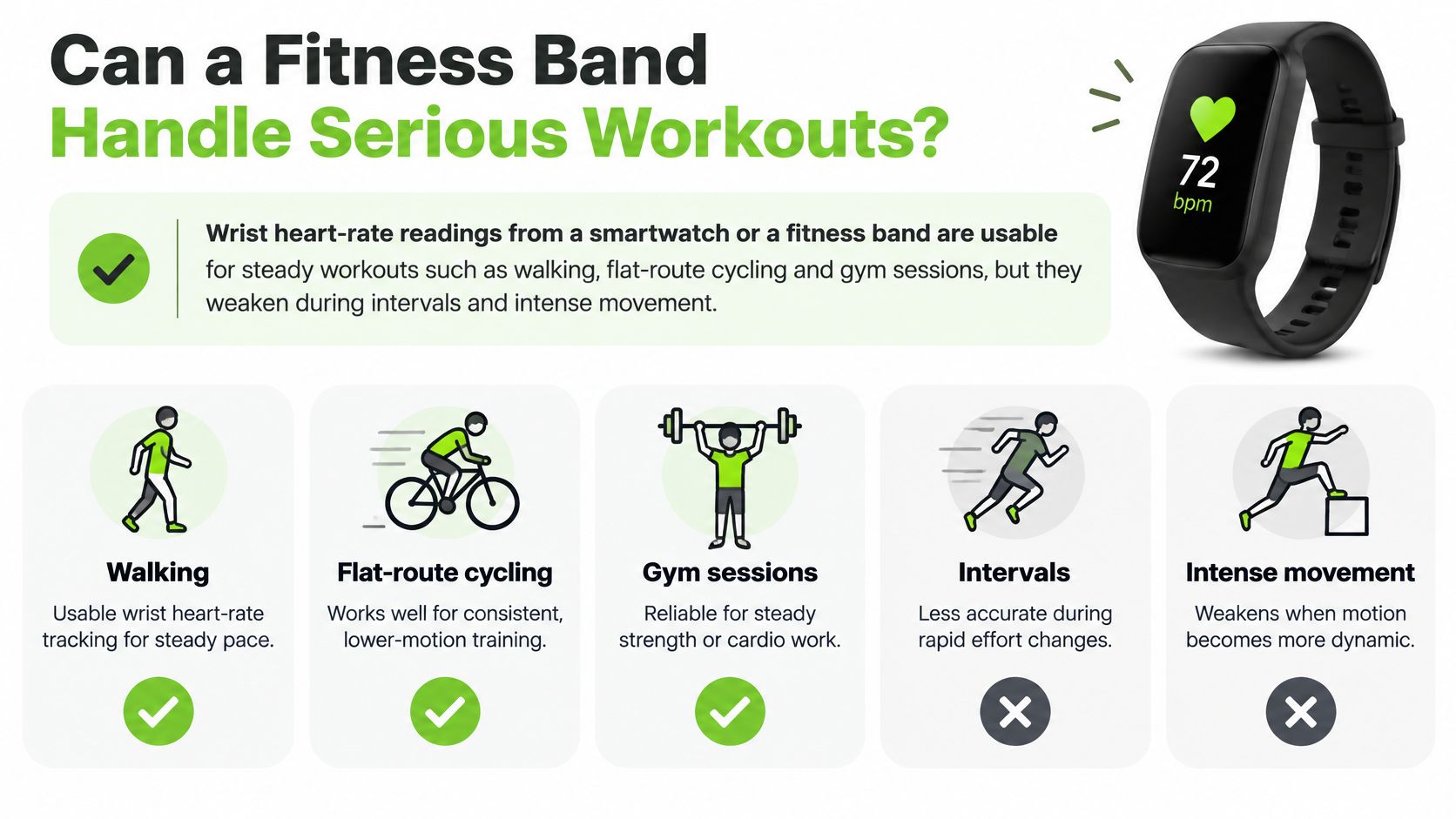
The mechanism explains the limit. Wrist devices use photoplethysmography, often shortened to PPG, where light detects blood-volume changes in tissue. In the JMIR Cardio treadmill validation of the Samsung Galaxy Watch 6, the Samsung Galaxy Watch 6 showed a mean heart-rate bias of -2.67 beats per minute versus a Polar H10 chest strap, with 95% limits of agreement from -16.90 to 11.57 beats per minute. The watch read low in every heart-rate zone, and the authors note substantial variation from person to person.
That test covered one smartwatch, not a fitness strap, so don't transfer its exact numbers to a tracker. The useful lesson is the pattern. Rapid blood-flow changes and motion artifacts disrupt the optical signal, and gripping, bouncing and fast cadence give the sensor more movement to misread.
Exercise itself widens the error. A Scientific Reports study of two consumer smartwatches during standardised exercise tests found heart-rate error of 3% or less at rest and in recovery, rising to about 7% and 12% at peak exercise for the two devices. Calories inherit part of that problem: because heart rate is a major input in calorie models, treat a workout calorie total as a trend indicator rather than a precise energy-balance measurement.
Which workouts lean which way?
- Lean fitness strap: Walking, steady gym sessions and daily steps, where duration, consistency and average effort matter more than second-by-second zones.
- Lean smartwatch: Running or cycling where you want pace, route data and several sport modes on the wrist. Confirm GPS and each sport mode on the maker's page, because the category label doesn't guarantee either one.
- Add a chest strap: Interval training, heavy strength sets and zone-based sessions where a few beats per minute change the workout you do next.
Your strap affects the reading you get. A secure, adjustable fit keeps the sensor in steadier contact with your skin, while a loose strap lets the case slide during intervals and lifts. A strap with a classic buckle or a fine-adjusting loop helps you set the same snug position for repeated sessions.
Validate before you trust a zone. Wear a chest strap for a few comparable workouts, compare average and peak readings, and learn where your wrist device runs high, low or late.
How Much Battery Life Do You Really Need?
You need enough battery life to cover the features you really use, and a fitness strap generally needs charging less often than a smartwatch with notifications, apps and an always-on screen enabled. Plan the charging habit before you choose the category, because a device sitting on a charger tracks nothing.
Battery figures aren't measured under one shared routine. Read the maker's battery spec together with its notes on GPS use, always-on display settings and tracking-only modes. Don't compare two makers' headline numbers as if both watches ran the same screen brightness, notifications and workouts to produce them.
Which charging habit matches your routine?
- Nightly sleep tracking: A smartwatch or fitness strap worn in bed needs a daytime charge window most days. Charge during breakfast or while you shower so the device is back on your wrist before your first workout.
- Daily GPS workouts: A smartwatch or fitness strap recording routes should start long sessions with a full charge. Top it up the night before a long run or ride, and check the maker's GPS-mode battery note rather than the headline figure.
- All-day notifications and apps: A smartwatch running alerts, apps and a bright interactive screen draws the most power in this comparison. Give the smartwatch a fixed daily slot, such as while you read or get ready, so charging doesn't depend on remembering.
- Light tracking: A fitness strap used for steps and basic heart rate gives you the longest gaps between charges. A fixed weekly slot can work, provided the maker's spec for your settings supports that interval.
Think about failure, not just convenience. If missing one charge means losing tonight's sleep record or tomorrow's long ride, your routine needs either a longer-lasting category or a more reliable charging slot. Settings change the picture a great deal, so your finalist's own maker page remains the authority on battery life.
Charging test: If you won't realistically charge a device at least several times a week, choose the category that matches the habit you already have, not the feature list you admire in the store.
Fewer charging sessions make a fitness strap simpler to live with. A smartwatch repays its extra charging time only when its notifications, apps and screen earn that time back every day.
Do Smart Features and a Bigger Screen Justify the Price?
A smartwatch justifies its higher price only if you'll use the smartwatch's notifications, third-party apps, voice features or larger touch screen every day. If those features would sit unused, a fitness strap usually covers the tracking routine for less money.
Notifications are the clearest dividing line. Many smartwatches show message and call alerts, let you act on some of them, and run apps on the wrist. Many fitness straps show a smaller set of alerts on a compact display, and some rely mainly on vibration, so check the supported-feature list for your exact model and phone on the maker's page.
The screen creates a trade-off you'll feel twice. A larger display makes maps, messages and workout fields easier to read at a glance, but a larger and more interactive display also draws more power. You're not choosing screen size in isolation. You're choosing a package of readability, case size, weight and charging frequency.
How should you compare price without chasing a moving number?
Compare a smartwatch and a fitness strap by price tier, then confirm the current figure on the maker's product page. Fitness straps generally sit in the lower range and smartwatches in the higher range, but individual models overlap and prices change. A written tier comparison stays useful, while a memorized price can be wrong by the time you buy.
Add strap cost as a small recurring expense. Many owners eventually replace a worn strap or buy a second material for workouts, work or sleep, with choices running from nylon and silicone to Milanese and genuine leather where the connector allows them. That cost applies to both categories, so it rarely decides the device choice by itself.
Use this budget test. If steps, workouts, heart rate and sleep cover your routine, the cheaper fitness strap usually meets the job. If you'd buy mainly for apps, notifications and wrist-based replies, a fitness strap will feel limited no matter how much money it saves.
Does a Standard Strap Fit a Fitness Strap?
No. A standard watch strap is not a safe purchase for a Fitbit Charge 5 or Fitbit Charge 6, because those trackers use a Fitbit-specific connector rather than a standard spring bar. A connector works like a keyway: two fittings can measure the same width and still refuse to mate. Buy by exact model, not by strap width.
Case size alone tells you almost nothing. This is the connector trap that catches buyers who assume a cheaper tracker takes a cheap generic strap.
Strap connector formats and what they mean for fit
| Connector format | Example | Strap rule |
|---|---|---|
| Standard quick release, 20 mm lug width | Galaxy Watch4 through Galaxy Watch7 models | 20 mm straps match across listed case sizes |
| Legacy 22 mm lug width | Galaxy Watch3 45 mm, which also takes original Galaxy Watch 46 mm straps | Don't move 22 mm straps to the 20 mm models |
| Maker-specific attachment | Galaxy Watch8 and Galaxy Watch8 Classic | Straps from earlier Galaxy Watch models don't fit |
| Maker-specific tracker fitting | Fitbit Charge 5 and Charge 6 | One strap covers both, but it fits that family only |
| Maker-specific tracker fitting | Earlier Fitbit Charge generations | Do not assume a Charge strap carries across generations |
| Maker-specific tracker fitting | Fitbit Versa, Sense, Luxe and Fitbit Air | Match the listing to the exact model name |
Samsung's own guidance shows why the brand name on the dial isn't enough. The Samsung Galaxy Watch strap compatibility guide lists 20 mm straps for Galaxy Watch4 through Galaxy Watch7, 22 mm straps for the Galaxy Watch3 45 mm (which also takes original Galaxy Watch 46 mm straps), and a new dedicated attachment for the Galaxy Watch8 series that isn't compatible with straps from earlier models. Same brand, same round dial, three different strap standards.
Even the printed case size can mislead. Watches from different makers can share a case size such as 42 mm and still take completely different straps, which is why the connector format, not the case number, is the spec to check before you order.
We sell replacement straps only, not watches or trackers, and our replacement straps aren't made by or for the watch maker. Our range covers straps for Fitbit Charge 3 through Charge 6, Versa, Sense, Luxe and Fitbit Air, which you can browse in our Fitbit straps collection or across the wider watch straps collection.
How do you confirm the right fitness strap strap?
Read the model name from the back of the tracker or from its companion app, then match that exact family name to the strap listing. Check two things: the width and the connector format. A listing that matches your family name on both counts will fit; a listing that matches only the width can still fail at the connector.
For a Charge 5 or Charge 6, the choice within that one family runs from nylon loops and silicone sport straps to magnetic Milanese and genuine leather. The lesson generalizes: a lower-priced tracker does not lock you into the strap it shipped with. It only narrows which aftermarket straps will attach.
The misconception is that an inexpensive tracker either cannot have a better strap or will accept any inexpensive “universal” replacement. Price doesn’t decide compatibility; the attachment does. Identify the exact tracker model, then choose a matching strap with a suitable wrist range and material. There’s no need to replace a working tracker simply because its original strap is uncomfortable or worn.
Care matters more on a tracker worn day and night, because sweat and soap sit under a narrow strap for longer than under a loose watch strap. Take the strap off, rinse it, and let it dry fully before it goes back on. The Samsung cleaning guidance for Galaxy Watch and Galaxy Fit straps specifies rinsing rubber or silicone straps with clean water and drying them thoroughly.
Material changes the method. The COROS cleaning and care guidance allows clean water or a small amount of mild hand soap on silicone, while nylon should be gently hand-washed with diluted mild detergent or soap, rinsed and air-dried without prolonged soaking. Check your own strap's care page, because makers don't all give the same soap advice.
Which Category Fits Your Routine?
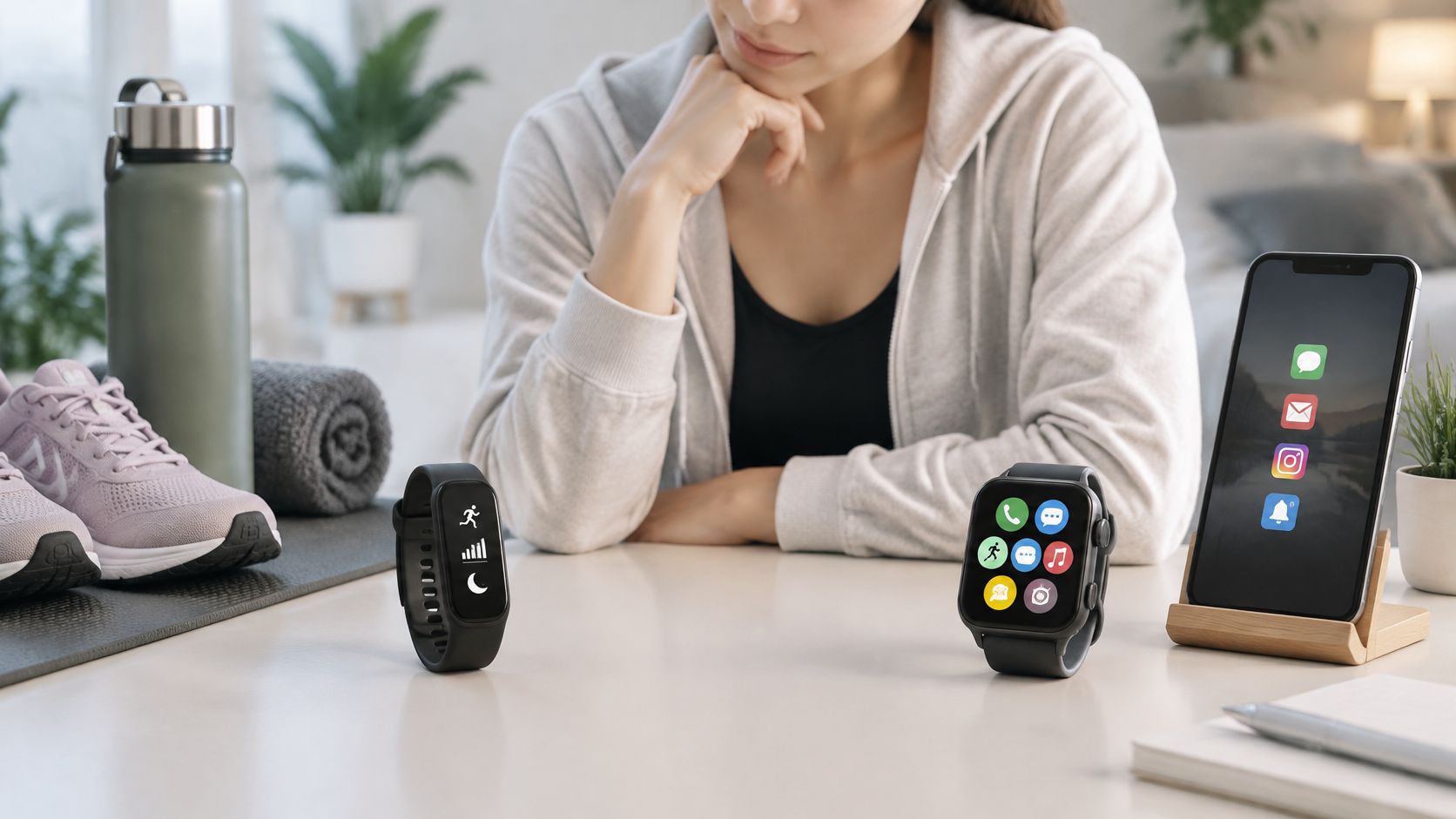
Choose a fitness strap if your routine centres on workouts, steps and sleep and you want a lower-cost, simpler device, and choose a smartwatch if you want notifications, apps and a larger screen and you'll charge the smartwatch on a regular routine. Match yourself to one profile below, then check the single spec named beside it.
- Sleep-first user: Usually a fitness strap. Check the maker's battery spec in tracking mode and find a daytime charging slot.
- Steady gym or walking routine: Either category can work. Check heart-rate tracking and the workout modes you'll start.
- Runner or cyclist wanting pace and route data: Usually a smartwatch. Check GPS availability and the battery note for GPS use.
- Notification and app user: A smartwatch. Check the supported-feature list, phone compatibility and screen size.
- Budget-first buyer: Usually a fitness strap. Compare the device price tier and the cost of a second strap in your preferred material.
- Style-focused buyer who changes straps often: Either category can work. Confirm the connector format before you buy any strap.
Then take these three steps.
- Confirm the fitting. Check your model's connector format and strap width (case size, for Apple Watch) on the maker's support page.
- Check strap fit. Use the Watch Strap Finder at /pages/ watch-band -finder to check fit by width and connector format.
- Choose the material for your routine. Browse straps by material in the watch straps collection, and keep the device decision anchored to the maker's spec pages.
If you're unsure which material suits your routine, start from how you wear the device: silicone rinses clean after sweaty sessions, nylon loops breathe and adjust finely for all-day and overnight wear, and Milanese or genuine leather suit work and evenings.
Frequently Asked Questions
Do I need a phone to set up a fitness strap or a smartwatch?
Most fitness straps and smartwatches pair with a companion app on a phone for setup and syncing. Check the maker's compatibility page for supported phones before you buy a fitness strap or smartwatch. Setup steps differ by model, so follow the maker's own instructions for your exact device.
Is a fitness strap water resistant enough for swimming?
A fitness strap is water resistant enough for swimming only if the maker's product page gives that fitness strap model a suitable rating. Water resistance varies by model, so don't assume it from the fitness strap category. A replacement strap doesn't add water resistance to a tracker.
Once you've settled the smartwatch or fitness strap decision, make the device comfortable enough to wear for every workout and every night of sleep with a replacement strap matched to its exact connector. Browse silicone, nylon, Milanese, leather and braided options by model family at Nothing but Bands , confirm your fitting first, and choose the material that fits the routine you've just mapped out.
Related posts

- November 11, 2026
COROS Pace 4 vs Pace 3 compared on maker specs: battery, size, GPS, training, straps and price, so you can...

- November 10, 2026
Learn how to fix a watch strap that is loose, popped off, stuck or torn, and when replacing it is...
