


Thinking about taking your smartwatch for a swim? You can, but only if the manufacturer approves it for swimming and its water-resistance rating suits the activity. A vague “water-resistant” label is not enough: taking a watch with the wrong rating into the pool can damage it.
3 Key Takeaways: Swimming with a Smartwatch
- Look for at least 5 ATM and explicit swim approval: Check the manufacturer’s guidance for your exact model. IP ratings or splash resistance alone do not establish that a watch is suitable for swimming.
- Wear a swim-ready strap: Silicone and woven nylon are practical choices for water; leather is not. Check that the strap and connector are secure.
- Rinse and dry after swimming: Fresh water helps remove chlorine or salt, and the watch should be dry before charging.
The key is to assess the watch, its condition, and the type of swimming together—not rely on a rating in isolation.
Table of Contents
- How I Evaluate a Smart Watch Swimming Setup
- Is Your Smartwatch Truly Ready for the Water?
- Choosing the Right Strap for Your Swim
- How to Secure Your Watch for a Worry-Free Swim
- Putting Your Watch's Swim Smarts to Work
- Your Post-Swim Watch and Strap Care Routine
- Frequently Asked Questions
How I Evaluate a Smart Watch Swimming Setup
I start with the manufacturer’s guidance for the exact watch model, then check that it is explicitly approved for swimming and has a rating of at least 5 ATM. A rating by itself is not a substitute for the manufacturer’s stated activity limits; splash resistance or an IP rating alone is not enough to establish swim suitability.
Next, I assess the strap and its connection. It should be made from a suitable material, fit the watch securely, and stay fastened during repeated arm movement. Comfort matters, too: the watch should sit snugly enough for tracking without pinching or restricting the wrist. I also consider whether its swim modes provide useful pool or open-water tracking for the swimmer’s needs, and whether the display and battery can support the planned session.
I treat a setup as a combination, not just a watch model: even a swim-approved watch is not a dependable choice if its strap is damaged or its fastening is insecure. I also look for a practical post-swim care routine, including rinsing after chlorinated or salt water and drying before charging. Cracks, uncertain repair history, worn seals, or manufacturer restrictions can disqualify the setup; when its condition or approval is unclear, keep it out of the water.
Is Your Smartwatch Truly Ready for the Water?
Yes, you can swim with a smartwatch if its manufacturer explicitly approves swimming and the watch is rated at least 5 ATM. No, a watch that relies only on splash resistance or an IP rating should not be treated as swim-ready. Check the instructions for your exact model: ratings and activity limits vary, and the manufacturer’s guidance takes priority over a general rule of thumb.
Use this decision framework before getting in:
- Confirm swim approval: Look up the manufacturer’s activity guidance for your exact model. For example, Apple says Apple Watch Series 2 and later have a 50-metre water-resistance rating under ISO 22810:2010 and are designed for shallow-water activities such as pool or ocean swimming, not unrestricted diving. See Apple’s Apple Watch water-resistance and swim guidance.
- Match the activity to the rating: Pool and surface open-water swimming are not the same as diving. A 5 ATM rating is commonly treated as a minimum for surface swimming, but it does not mean a watch is approved for diving or for every water sport. Check the manufacturer’s limits; Garmin’s water rating guidance explains that activity suitability depends on the device’s water rating.
- Consider condition and age: Water resistance can be affected by wear, impact, and changes to seals. Apple notes that water resistance can diminish over time and cannot be retested or resealed. If a watch is older or its history is uncertain, do not assume its original rating guarantees present-day protection.
- Treat damage and repairs as a reason to pause: A cracked screen, a recent repair, or visible damage undermines confidence in the seal. Follow the manufacturer’s advice before swimming again, and do not press buttons underwater unless the brand explicitly says that is safe.
A “50 metres” rating describes a laboratory test under specified conditions; it is not permission to take a watch to a depth of 50 metres. Check the manufacturer’s limitations rather than interpreting the number as a real-world diving depth.
Decoding Water Resistance Ratings
ATM stands for atmospheres and describes pressure resistance under specified test conditions. The rating is useful, but it should be read alongside the manufacturer’s activity approval and limitations. Movement, impacts, and the condition of the watch can all affect whether a particular use is appropriate.

- IP ratings: These indicate tested protection against dust or water ingress under specified conditions. An IP rating alone does not confirm that a watch is approved for swimming.
- ATM ratings: A 5 ATM rating corresponds to pressure equivalent to 50 metres in a static test. It is commonly a minimum reference point for surface swimming, not a guarantee for every water activity.
- ISO 22810:2010: This standard sets requirements for water-resistant watches. A rating under the standard still needs to be interpreted according to the manufacturer’s stated use and limits.
To make the ratings easier to compare, use this as a starting point—not a replacement for your model’s instructions.
Smartwatch Water Resistance Ratings Explained
| Rating | What It Really Means | Suitable for Swimming? |
|---|---|---|
| IP67/IP68 | Protection against ingress under specified test conditions. | Not on this rating alone. Check explicit manufacturer swim approval. |
| 3 ATM | A lower water-resistance rating, generally intended for everyday exposure such as rain or splashes. | No, not as a general swimming recommendation. |
| 5 ATM | Pressure equivalent to 50 metres under specified static test conditions. | Potentially for surface swimming, if the manufacturer approves it. |
| 10 ATM | Pressure equivalent to 100 metres under specified test conditions. | Check the model’s activity limits; the rating alone does not establish suitability for diving. |
The practical rule is to require both at least 5 ATM and explicit manufacturer approval for swimming. Check the official specifications for your model before each swim season, especially if the watch is older or has been damaged or repaired.
Choosing the Right Strap for Your Swim

Once you’ve checked that the watch is swim-approved, consider the strap holding it to your wrist. A leather or metal link strap may suit everyday wear, but it is not the practical choice for smart watch swimming. Leather can warp or deteriorate when repeatedly wet, and some metals can tarnish or corrode after exposure to chlorine or saltwater. A weakened strap also risks losing the watch.
The Best Materials for a Swim-Ready Strap
For swimming, silicone and woven nylon are practical options, though they feel different on the wrist.
- Silicone: Flexible, water-resistant, and easy to rinse, silicone is a common choice for swimmers. Its grippy feel can help keep the watch secure during laps.
- Woven nylon: Soft and breathable, nylon absorbs some water but can dry quickly. It may suit swimmers who prefer a fabric feel, provided the strap is rinsed and allowed to dry.
Both materials can work well when the strap is in good condition and fits securely. Rinse after exposure to chlorine or saltwater and check the fastening before each swim.
The Magic of a Quick-Release Strap
A quick-release mechanism makes it easier to switch between daily and swim-ready straps. Its spring-loaded pins let you change a compatible strap without tools, but always make sure the pins are fully engaged before wearing the watch in the water.
You might wear a metal strap at work and change to a silicone strap before swimming. Check the width and attachment system for your exact watch: many models use standard 20mm or 22mm quick-release spring bars, while Garmin QuickFit and Fitbit connectors can be model-specific. Among quick-release smartwatches in our strap size data, 22mm is the more common width, appearing in 47.5% of the records. Apple Watch uses its own slide-and-lock strap connector.
A dedicated swim strap can make smart watch swimming more comfortable and secure. Choose the material and fastening that suit your routine, and do not use a strap that is stretched, damaged, or loose.
How to Secure Your Watch for a Worry-Free Swim

A loose watch can distract you during a swim and may come off. Fit also matters for tracking: the watch should be snug enough to stay in place, but not so tight that it restricts circulation. A strap that feels secure on dry land can shift as you move through water, so check it before entering.
Finding the Perfect Fit for Your Strap
The best fit depends on the strap. With silicone, fasten it so it stays in place without pinching. A strap that moves around can affect sensor readings; one that is too tight can be uncomfortable. For a nylon loop, pull the strap taut and press the hook-and-loop closure down fully so an edge does not lift during your swim.
Positioning for Optimal Sensor Accuracy
Wear the watch slightly above the wrist bone, where the sensor can sit against a flatter area of skin. A secure, comfortable position may help the optical sensor maintain contact, although heart-rate readings in water are not as dependable as on land for every watch or swimmer.
At the pool or beach, it is also sensible to plan how you will look after your other belongings.
Take a moment to check the clasp, connectors, and fit before entering the water. For another strap-adjustment task when you are back on dry land, see how to adjust a metal watch strap.
Putting Your Watch's Swim Smarts to Work
Selecting a swim workout helps the watch interpret movement and record a session in a way that suits the activity. The right features depend on whether you swim laps, head into open water, or want only a basic activity record.
A Swimmer's Feature Checklist
Essential features start with a rating of at least 5 ATM and explicit manufacturer approval for swimming. The rating and approval work together: neither an IP claim nor a number without activity guidance is enough. A dedicated pool mode should let you enter the pool length; an open-water mode should be designed to record a route. Check the manufacturer’s support material for what each mode records and its stated limits.
Lap detection and stroke recognition can make pool workouts more useful by estimating lengths and identifying stroke types. They depend on the watch detecting your turns and arm movement, so results can vary with technique, drills, and how the device is worn. Treat the recorded laps and stroke labels as useful training data to review, not a perfect measurement of every session.
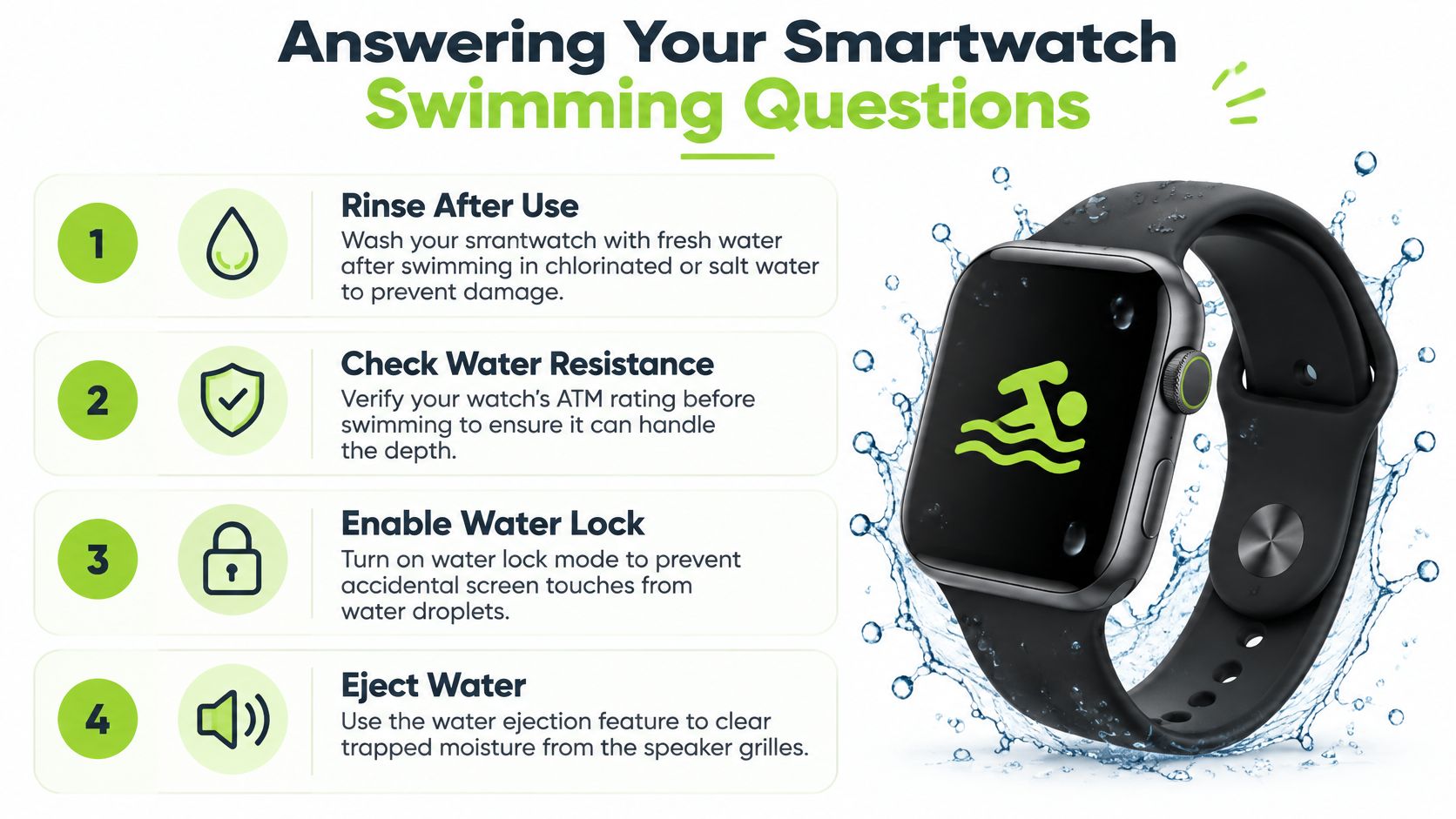
A water-lock feature can prevent accidental touchscreen input from splashes or contact during a workout. A bright, readable display is also useful when checking a screen between lengths or outdoors in strong light. For longer sessions, consider battery life with the workout and GPS features you plan to use enabled; GPS use can consume power, so leave room for a return to shore or the end of the planned activity.
Useful extras include reliable GPS for open-water routes and heart-rate tracking if those data matter to your training. GPS can be less consistent when the watch’s antenna is underwater, because the watch cannot maintain a continuous satellite signal beneath the surface. For a route, readings may be recorded intermittently as the watch comes above water; results can vary with conditions and device design. See Garmin’s explanation of GPS tracking in open water for manufacturer guidance on the limits of satellite reception around water.
Wrist-based heart-rate readings can also be less dependable in water than on land, as movement and the water between the sensor and skin can affect contact. A snug fit may help, but if precise heart-rate data is central to your training, check the manufacturer’s compatibility guidance for any external sensor rather than assuming the watch’s optical reading is exact.
Pool Swim vs Open Water Smartwatch
A pool swim and open-water swim call for different tracking. In a pool, the watch generally uses your selected pool length and movement or turn detection to estimate laps and distance; GPS is not usually the central measure. In open water there are no walls to count, so GPS is used to estimate route and distance, with tracking potentially less continuous because satellite signals do not travel reliably underwater. Open water also brings different practical risks, such as changing conditions and distance from shore, so a swim mode does not replace appropriate safety planning.
Cellular Smartwatches for Swimming and Water Activities
Cellular smartwatches for swimming and water activities can be useful for calls, messages, and contactability before or after a swim, and near the surface or poolside when a connection is available. They are not a dependable way to communicate underwater: signal is limited beneath the water, touchscreen controls may be difficult to use during active swimming, and cellular use can drain the battery faster. Do not rely on LTE as an underwater safety connection.
The best choice depends on use case. For pool training, prioritize swim modes, lap detection, and a secure fit; LTE is usually a convenience outside the water. For open-water tracking, focus on swim approval, route tracking, battery life, and practical safety arrangements; cellular can help near shore but not replace them. For casual fitness, basic swim tracking may be enough. If safety or contactability is the priority, cellular can help before and after the swim or near the surface, provided service is available—but it cannot guarantee contact during an active swim.
Getting Started in the Water
Before swimming, select the correct workout profile. For example, Apple Watch users can choose a pool or open-water swim workout; check Apple Watch workout guidance for the manufacturer’s instructions. Garmin users should follow the activity options and instructions for their specific device, available through Garmin’s swim activity guidance.
A swim workout may enable a water-lock feature to prevent unintended screen input. Follow your model’s instructions to start and end the workout and to deactivate water lock or clear the screen. Do not assume every watch handles water lock or water ejection in the same way.
For pool swimming, enter the correct pool length if the watch asks for it. Lap and distance estimates depend on that setting and on the device detecting your turns and movement. For open-water swimming, the watch may use GPS to record the route. If your manufacturer recommends waiting for a GPS fix before starting, follow that advice; route quality can vary with signal and conditions.
When you finish, use the manufacturer’s instructions to end the workout and clear water from the device if it has that function. Button use varies by model, so do not press controls underwater unless the brand explicitly permits it.
Understanding Common Swim Metrics
Swim metrics are most useful as a way to review patterns across sessions. Their precision depends on the watch, settings, and how you swim.
| Metric | What It Measures | How to Use It |
|---|---|---|
| Distance & Pace | Estimated distance and speed, often shown as time per 100m. | Compare similar sessions and check that pool length or GPS settings are appropriate. |
| Stroke Count | An estimate of strokes during a length or session. | Use it as a technique reference alongside your own observations. |
| SWOLF Score | A combined time and stroke-count measure for a pool length. | Compare like-for-like lengths over time rather than treating one score as definitive. |
| Heart Rate | A reading from the watch’s heart-rate sensor during the workout. | Interpret cautiously in water, where wrist-based readings may be less dependable. |
After your swim, review the workout in an app such as Garmin Connect or Apple Fitness, and use the data as a guide rather than assuming every metric is exact.
Your Post-Swim Watch and Strap Care Routine
After a swim, rinse off chlorine or salt and follow the care instructions for your watch and strap. The manufacturer’s guidance matters because cleaning methods and water limits can differ between models. Apple’s instructions for caring for Apple Watch after exposure to water describe its recommended approach for that device.
A simple rinse and careful drying can help remove residue. If you leave salt, pool chemicals, or sunscreen on the device, they may affect materials or contacts over time. For the cleaning method that applies to your model, use its official care instructions; avoid assuming household cleaners are safe.
The All-Important Rinse
If the manufacturer allows it, rinse the watch and strap with fresh water after exposure to chlorine or saltwater. Pay attention to the areas around buttons or the crown, speaker and microphone openings, charging contacts, and the space beneath the strap. Do not immerse or rinse a device beyond its stated limits.
Avoid soap and household cleaners unless the manufacturer specifically recommends them. Follow the device’s care guidance, then gently pat the watch and strap dry with a soft, lint-free cloth. For more on cleaning a strap, see how to clean silicone watch straps.
Final Checks Before Charging
Make sure the watch and charging contacts are dry before charging, and follow the manufacturer’s charging instructions. If your device has a water-eject feature, use it as directed. Let the strap dry fully before wearing it again, particularly if moisture under the strap irritates your skin.
Frequently Asked Questions
Can you swim with a smartwatch?
Yes, if the manufacturer explicitly approves swimming for your exact model and it has a rating of at least 5 ATM. Splash resistance or an IP rating alone is not enough; check the maker’s activity limits and the watch’s condition.
What features should I look for in a smartwatch for swimming?
Prioritize explicit swim approval, at least 5 ATM, a secure and comfortable fit, and a dedicated pool or open-water mode that suits your activity. Useful additions include lap and stroke tracking, water lock, a readable screen, adequate battery life, and GPS for open water.
Can you use a cellular smartwatch for swimming and water activities?
Cellular service can help with calls and messages before or after a swim or near the surface, if coverage is available. Underwater signal limits, difficult touchscreen use during active swimming, and battery drain mean LTE should not be relied on for communication underwater.
Is 5 ATM enough for pool and sea swimming?
It can be the minimum for surface pool or sea swimming when the manufacturer explicitly approves the activity for that model. It is not permission for diving, and you should check the manufacturer’s restrictions and rinse the watch after saltwater exposure if the care instructions allow it.
How accurate is swim tracking on a smartwatch?
It varies by watch, settings, and swimming style. Pool lap counts rely on the set pool length and movement detection; open-water distance depends on GPS reception, while wrist-based heart-rate readings may be less dependable in water.
Ready to find a swim-friendly strap for your watch? At Nothing But Bands , we offer durable silicone and quick-drying nylon straps designed for comfort and security. Explore the selection at Nothing But Bands .
Related posts

- November 20, 2026
Find the right smartwatch with longest battery life for your routine: maker claims with their usage conditions, what drains charge,...

- November 19, 2026
Does Galaxy Watch Work with iPhone? Samsung lists which models pair with iOS, which features are limited, and how to...

- November 18, 2026
A practical guide to Fitbit watches for men: match case size, activity, and battery life to your routine, then find...
