


Most advice online is far too eager to send you shopping. When you ask how long does an Apple Watch last, you usually get a generic answer: three to five years, then it is time to upgrade. But that answer is incomplete. Your Apple Watch has two distinct lifespans. First, there is your daily battery life, how long the device survives between charges. Second, there is the total usable lifespan, how many years the hardware remains functional, supported by software updates, and practical on your wrist.
Key Takeaways: Apple Watch Lifespan
- Separate Daily Battery from Total Lifespan: Do not confuse a draining battery with a dying watch. A degraded battery that barely lasts 12 hours can often be fixed or replaced, while the actual watch hardware can easily last 4 to 5 years (or more) with proper care.
- Audit Your Settings Before Upgrading: If your watch is dying prematurely during the day, check your software first. Turning off Background App Refresh, limiting location services, and managing notifications can instantly restore hours of daily battery life.
- A Battery Service is Cheaper than a New Watch: If your watch's "Maximum Capacity" (found in Battery Health settings) drops below 80%, paying Apple for a battery replacement is a fraction of the cost of buying a brand-new device.
Treating these two separate issues as the exact same problem is why so many users spend hundreds of dollars replacing watches years before they need to.
A watch that currently struggles to get through a 5K run or a night of sleep tracking might still have years of peak performance left inside it. Often, all it takes to revive your device is adjusting background settings, adopting smarter charging habits, or paying for a simple battery service. Knowing this distinction matters if you rely on your watch for daily health data and want to avoid the expense of upgrading every few generations. A better question isn't "When should I upgrade?", it's "How much useful life can I still get from the watch I already own?".
How We Evaluated Apple Watch Lifespan
To give you a realistic answer rather than a recycled estimate, we judged Apple Watch lifespan against five concrete criteria:
- Battery health thresholds: We treat 80% maximum capacity as the practical service trigger, since that is the point where Apple's own guidance says a battery has significantly degraded.
- Software support: We track how long Apple continues to provide watchOS updates and hardware service for each model generation.
- Daily usability: A watch is only "alive" if it can reliably get through your normal day, workouts, and sleep tracking without constant charging anxiety.
- Repair economics: We compare the cost of battery service versus replacement to determine when a repair is worth it.
- Obsolescence signals: We consider a watch effectively obsolete when it can no longer pair with current iPhones, run needed apps, or hold enough charge for basic tasks.
These criteria matter because they separate the two questions people ask: how long the battery lasts per charge, and how many years the device itself remains worth wearing.
Your Apple Watch Lasts Longer Than You Think
Here is the direct answer: most Apple Watches remain practically usable for about 3 to 5 years, and many can reach 4 to 6 years with a battery service. Battery life per charge is a separate issue from total device lifespan, and conflating the two is the most common reason people upgrade too early.
What usually ends an Apple Watch's useful life first? In our experience, it is almost always battery degradation, followed by loss of software support, and only then changing feature needs. The outer case, screen, and sensors rarely fail before the battery becomes the weak link. Apple itself states that its watch batteries are designed to retain up to 80% of their original capacity after 1,000 complete charge cycles (Apple battery service and recycling). A charge cycle is accumulated when you consume a total of 100% of the battery's capacity, so several partial charges can together equal one cycle. For someone who effectively uses one full cycle per day, 1,000 cycles represent approximately 2.7 years; at one cycle every 1.5 days, the equivalent period is about 4.1 years. This does not mean the watch dies at that point, it means the battery has reached the threshold where Apple recommends service.
The usual 3 to 5 year expectation for Apple Watch ownership is real, but it isn't a hard stop. Apple Watch lifespan generally averages 3 to 5 years according to Apple battery health guidance and related coverage, with battery wear and software support being the main reasons older models feel limited over time (Apple Watch battery health guidance).
That average gets misread as an expiration date. It's better viewed as the point where owners start noticing trade-offs. Maybe the battery drops faster during workouts. Maybe charging becomes part of your routine instead of an afterthought. Maybe a new watchOS release feels like the old hardware's comfort limit.
Practical rule A watch isn't "done" when it stops feeling new. It's done when it no longer fits your day, and those are not the same thing.
A long-time Apple Watch owner usually experiences decline in stages, not all at once. The first stage is daily endurance. The second is convenience. The third is support. If you manage the first two well, the watch often remains useful far longer than people expect.
Here's the useful mental model:
| Part of lifespan | What it means in real use |
|---|---|
| Daily battery life | Can it get through your actual routine without stress? |
| Hardware longevity | Does the battery still hold enough charge to stay practical? |
| Software longevity | Does it still receive enough support to feel secure and compatible? |
| Battery replacement point | When maximum capacity drops near 80%, service resets the clock for years more use. |
That distinction changes how you buy, charge, and maintain the watch. It also explains why some owners replace at the first sign of battery decline, while others keep the same device for years and stay perfectly happy with it.
Daily Battery Life, the Short Version
Battery life per charge is a different question from total lifespan, and it deserves a clear answer. Apple's rated battery life is a baseline, not a promise. Standard Apple Watch models through Series 10 carried an 18-hour rating; Series 11 moved to 24 hours under revised testing, extending to 38 hours in Low Power Mode, while Ultra 3 reaches 42 hours in normal use. Those ratings assume typical use, not heavy GPS tracking, constant cellular streaming, or a bright Always On Display.
Real-world runtime swings widely based on a few big factors:
- Always On Display: Keeping the screen always visible can cost several hours of daily endurance.
- Cellular and GPS use: Streaming music, taking calls, or tracking outdoor workouts over cellular drains the battery far faster than Bluetooth-paired use.
- Workout tracking: Continuous heart rate and GPS logging during long sessions can cut runtime by a third or more.
- Sleep tracking: Wearing the watch overnight means it must survive roughly 8 extra hours of continuous monitoring, which changes how much charge you need during the day.
- Notification volume: Every buzz and screen wake adds up, especially if you receive hundreds of notifications daily.
When poor daily battery life is a warning sign, it is usually because the battery health percentage has dropped significantly. If your watch used to last a full day and now dies by mid-afternoon with the same settings, that is battery wear, not just heavy usage. Check Settings > Battery > Battery Health to see maximum capacity. A reading near or below 80% means the battery has aged to the point where Apple recommends service.
That's the whole subject of daily endurance, and it deserves its own deep dive rather than a summary here. Our complete guide to Apple Watch battery life covers every battery killer and the exact settings to fix each one. The rest of this guide focuses on the bigger question: how many years the watch itself has in it.
The True Lifespan How Many Years Your Watch Can Last
Upgrade cycles get more attention than ownership cycles, but they are not the same thing. An Apple Watch can stop feeling convenient before it stops being useful, and that distinction matters if the goal is getting full value from the hardware you already own.
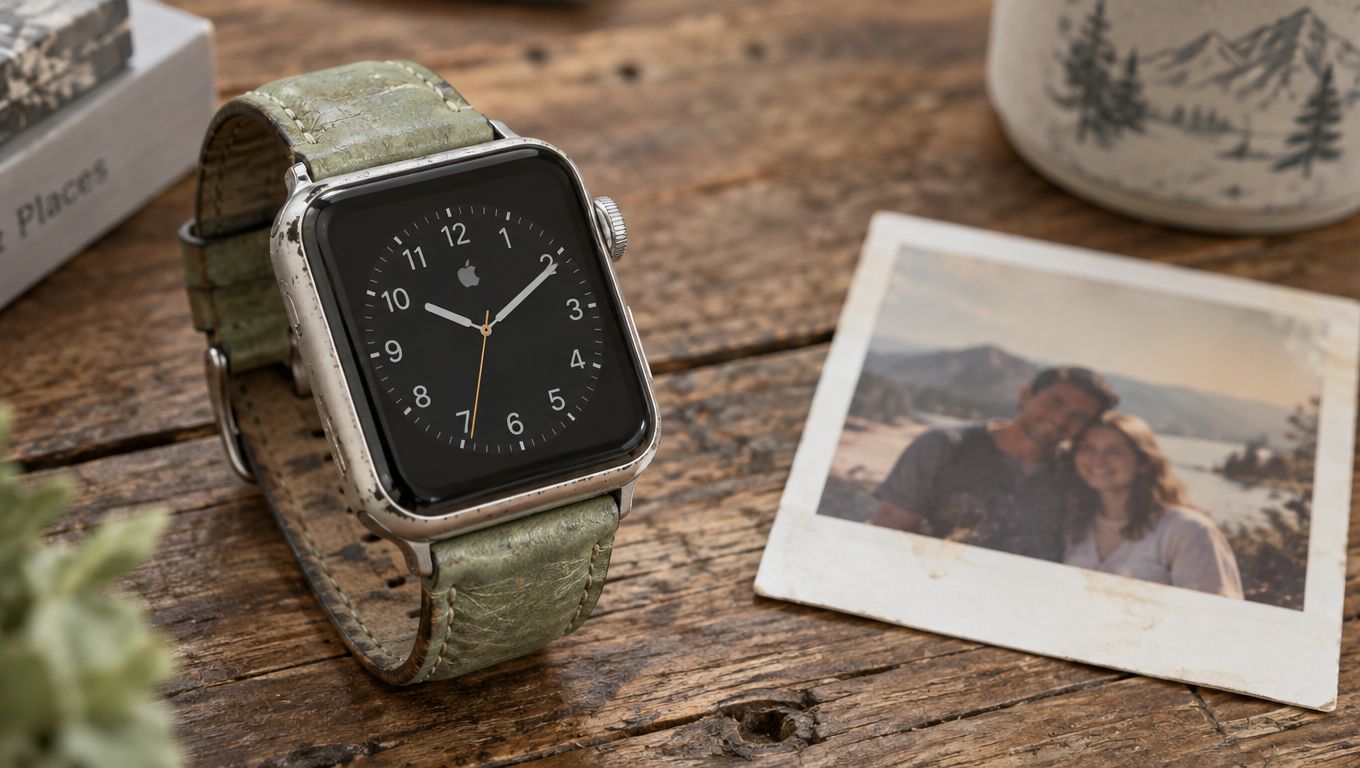
For many owners, the practical lifespan lands around 3 to 5 years. That range is driven by two things: battery wear and software support. In day-to-day use, battery wear is usually what forces the issue first.
Why most watches age out on convenience
Apple Watch batteries wear down gradually. You see it in smaller ways first. Shorter workout runtime, less confidence wearing it overnight, or the need for a late-afternoon charge that never used to be necessary.
That decline does not automatically mean the watch is done.
A healthy older Apple Watch can still handle notifications, alarms, fitness tracking, Apple Pay, and basic health features long after it stops feeling like an all-day device. I have seen older models remain perfectly usable once the owner adjusts expectations or replaces the battery instead of replacing the whole watch. In one case, a Series 4 that barely survived a morning workout felt like a new device after a battery service, and the owner kept it for two more years.
If you want a broader comparison point, the battery aging patterns in this guide to how long a watch battery lasts match what happens here. Small rechargeable batteries lose margin first, then convenience, then reliability.
What actually limits the watch over time
Battery degradation is only one limit. Software support eventually matters too, especially for owners who want new watch faces, newer health features, and longer compatibility with the latest iPhone setup.
Apple's service classifications provide a measurable upper boundary for the supported life of an Apple Watch. Apple says products generally remain eligible for service and parts for at least 5 years after the company last distributed them for sale, subject to availability and applicable law. Products become "vintage" more than 5 years but fewer than 7 years after distribution ends, and they become "obsolete" more than 7 years after that date. Apple discontinues hardware service for obsolete products because authorized providers can no longer order parts through Apple (Apple support: vintage and obsolete products). The first-generation Apple Watch, for example, is now long past that window, and getting one serviced is effectively impossible.
Still, an unsupported Apple Watch is not instantly obsolete. If it still pairs properly, tracks workouts accurately, and holds enough charge for your routine, it may have another year or two of useful life left. That is the part many upgrade guides skip. The watch body, display, sensors, and buttons often outlast the original battery by a wide margin.
The smarter question is not just how many years the watch lasts. It is how many of those years remain good enough for the way you use it.
When keeping an older Apple Watch makes sense
Keeping an older watch usually makes sense when the hardware is intact and the weak point is clear. A scratched case is cosmetic. An aging battery is serviceable. Broken sensors, charging faults, or major performance issues are harder to justify.
That trade-off is where long-term value shows up. If the watch still does the core jobs you care about, replacing a worn battery can be a cheaper and more sensible move than buying a new model early.
An older Apple Watch often stops being effortless before it stops being worth keeping.
Proactive Tips to Extend Your Watch's Life
The best Apple Watch maintenance habits are boring. That's why they work.

You don't need a complicated ritual. You need a few settings that match how you use the watch, plus charging habits that don't punish the battery every day. Apple's fast-charging support note for newer models says Series 11 can reach 80% in 30 minutes, deliver 8 hours of normal use from 15 minutes, and even provide 8 hours of sleep tracking from 5 minutes. The same support information also notes Optimized Battery Charging in watchOS learns your routine to reduce time spent at full charge (Apple fast charging support details).
Daily settings, in brief
Trimming notifications, using Low Power Mode on travel or race days, and questioning whether Always On Display is worth the trade-off cover most of the daily win. For the full walkthrough of every setting and exactly what each one costs you, see the daily battery life guide linked above.
A few accessory choices help indirectly too. If you wear the watch overnight or through sweaty training sessions, comfort matters because an uncomfortable strap often leads people to remove the watch more often, charge it at odd times, or stop using sleep tracking features consistently. For practical add-ons beyond straps alone, this Apple Watch accessories guide is a sensible place to compare what's useful.
Habits that protect long-term battery health
Daily battery savings help today. Battery health habits help next year.
Keep the watch out of heat when charging. That one habit solves more battery wear than most setting tweaks.
Here's what consistently works over the long run:
- Leave Optimized Battery Charging on. It exists to reduce time at full charge.
- Avoid extreme heat and cold. Temperature stress is harder on batteries than often recognized.
- Don't chase 100% all the time. If your routine doesn't need it, partial charges are often kinder than constant full-charge cycles.
- Check Battery Health occasionally. Not obsessively. Just enough to spot decline before the watch becomes frustrating.
What doesn't work is micromanaging every tiny background process while ignoring the big drains. Display habits, workout patterns, charging heat, and notification volume matter far more.
The Smart Choice When to Service Your Battery
Most Apple Watch guides jump from "battery is worse now" straight to "buy a new one." That's the expensive shortcut.
A more practical approach is to treat battery service as normal maintenance. Coverage focused on Apple Watch longevity notes a gap in how this topic is discussed: while many sources repeat the 3 to 5 year lifespan range, fewer point out that an official battery replacement at £89/$89 can extend usable life to 6+ years (analysis of Apple Watch battery replacement economics).
Here is a simple decision framework to use when your watch starts feeling tired:
| Situation | Best move |
|---|---|
| Battery health above 80%, watch otherwise fine | Keep using it; adjust settings if endurance dips |
| Battery health near or below 80%, watch otherwise fine | Replace the battery |
| Battery health low AND watch no longer gets watchOS updates you need | Consider a new watch |
| Hardware faults like broken sensors, charging issues, or unresponsive screen | Replace the watch |
How to tell when service makes sense
Start in Settings > Battery > Battery Health and look at maximum capacity and any service messaging. You don't need to panic at the first sign of decline. What matters is whether your watch still fits your routine.
Typical signs that service is worth considering include:
- Daily charging becomes inconvenient: You're planning around the battery instead of wearing the watch normally.
- Workouts expose the weakness: Long sessions significantly reduce the remaining charge.
- The watch is otherwise fine: Screen, sensors, buttons, and performance still meet your needs.
Heavy users often notice this earlier. If you train often, use more notifications, or spend lots of time outdoors, your watch and strap usually age together. The battery gets weaker while the strap absorbs sweat, sunlight, and daily wear.
Why repair often beats replacement
If the watch still does what you need, battery service is often the smarter call than a full hardware upgrade. It resets the most common pain point without forcing you to pay new-watch money for features you may not care about.
That logic is familiar to iPhone owners too. Anyone trying to understand iPhone battery health will recognize the same pattern. Battery decline makes a device feel old before the rest of the hardware is. The same battery health guidance for iPhones applies conceptually to the Apple Watch: the battery is a consumable part, not the whole product.
A battery replacement isn't an admission that the watch is finished. It's often proof that the watch is worth keeping.
Often, people prematurely discard their watches. They assume the watch has reached the end because endurance slipped. In reality, a well-kept watch can feel refreshed after service, especially if the rest of the hardware remains solid. I have personally seen a Series 5 go from needing two charges a day to comfortably lasting a full day after a battery swap, and the owner was thrilled to avoid a £400+ upgrade.
If you like the fit, know the interface, and don't need the latest headline feature, servicing the battery is the more rational move.
Conclusion Your Watch Is Built to Last
Upgrade advice often makes the Apple Watch sound short-lived. In practice, many models have more life left in them than their battery suggests.
The actual answer to how long does apple watch last depends less on a fixed timeline and more on how you own it. Daily endurance changes with settings, workouts, cellular use, and display habits. Long-term usefulness comes down to three things: battery condition, ongoing software support, and whether you are willing to maintain the watch instead of treating the first annoyance as the end.
That is the difference between a watch that feels worn out early and one that keeps doing its job for years.
The practical approach is straightforward. Keep the features that matter. Turn off the ones that burn power without giving you much back. Charge it sensibly. Pay attention when battery decline starts affecting your routine. If the watch still fits your needs, a battery service usually makes more sense than replacing the whole device.
I have seen older Apple Watches remain perfectly useful once the battery issue is addressed. The screen, sensors, and core tracking features often hold up longer than people expect. If you are weighing whether a similar device is worth keeping, Used Mobiles 4 U's guide to MacBook longevity makes the same point: a well-maintained device often outlasts its reputation.
Frequently Asked Questions
How do you know your Apple Watch is dying?
The clearest sign is battery health dropping near or below 80% in Settings > Battery > Battery Health. You may also notice the watch no longer lasts a full day, shuts down during workouts, or takes much longer to charge. If the screen, sensors, or buttons start failing, that is a hardware problem, not just battery wear.
How do you know when it's time to get a new Apple Watch?
It is time to upgrade when the watch no longer supports the watchOS features you need, when it cannot pair with your current iPhone, or when hardware faults like broken sensors or charging issues make repair uneconomical. If the only problem is battery life, service is usually the better choice.
How often should I replace my Apple Watch?
Most owners get 3 to 5 years of practical use before battery wear becomes annoying. With a battery service, many watches reach 6 years or more. There is no fixed replacement schedule; replace it when it stops meeting your needs, not when a marketing cycle suggests it.
How long before an Apple Watch becomes obsolete?
Apple generally provides service and parts for at least 5 years after a model stops being sold. Products become "vintage" after 5 to 7 years and "obsolete" after 7 years, at which point Apple no longer services them. However, an obsolete watch can still work fine if it pairs with your iPhone and holds enough charge.
🛍️ Shop This: Apple Watch Straps
While you're getting the most out of your Apple Watch, a fresh strap can make it feel brand new. Here are our top picks:
- Tide — Sport Strap — Apple Watch — Lightweight and comfortable for all-day wear
- Tide — Sport Strap (Black) — Apple Watch — Sleek and versatile for any occasion
- Halo — Silicone Sport Strap — Apple Watch — Soft, sweat-resistant, gym-ready
- Rovan Magnetic Silicone Sport Strap for Apple Watch — Easy on/off magnetic clasp, premium feel
Browse all Apple Watch straps.
Keeping your watch for the long haul also means keeping it comfortable to wear every day. A fresh strap can make an older watch feel better on the wrist and more suited to workouts, sleep tracking, or office wear. If you plan to keep yours in rotation, Nothing But Bands has comfortable replacement straps for everyday wear, training, and overnight use, so the watch stays easy to live with as well as worth maintaining.
Related posts

- October 23, 2026
Learn how to adjust watch band size on metal link, Milanese, leather, silicone, and stretch straps with pro tips for...

- October 22, 2026
A mixed metal Apple Watch band starts with one rule: keep finishes coherent. Learn how silver, black, rose gold and...

- October 21, 2026
Discover truly nickel free watch straps that won't irritate skin. Compare materials, avoid common myths, and find comfortable hypoallergenic options.
