

Log in
Reset password
Create an account
Your bag(0)
Your cart is empty
Continue ShoppingSearch

Your Fitbit Charge 4 is so much more than a gadget that counts your steps. It’s a constant companion, tracking your sleep, monitoring your workouts, and keeping you connected. The journey to making it truly yours starts with the perfect Fibit Charge 4 strap. The right band makes all the difference, ensuring your tracker is comfortable all day, secure during a tough workout, and stylish enough for a night out.
Getting the Most From Your Tracker
Think about it – your Fitbit Charge 4 is a powerful bit of kit, but you only really unlock its potential when it fits seamlessly into your life. The strap is that critical link. It’s what connects the tech to your wrist, and it influences everything from how comfortable the device feels to how accurate its readings are. A poorly chosen band can be a real pain, leading to skin irritation, wonky heart rate data, or just looking out of place with your outfit.
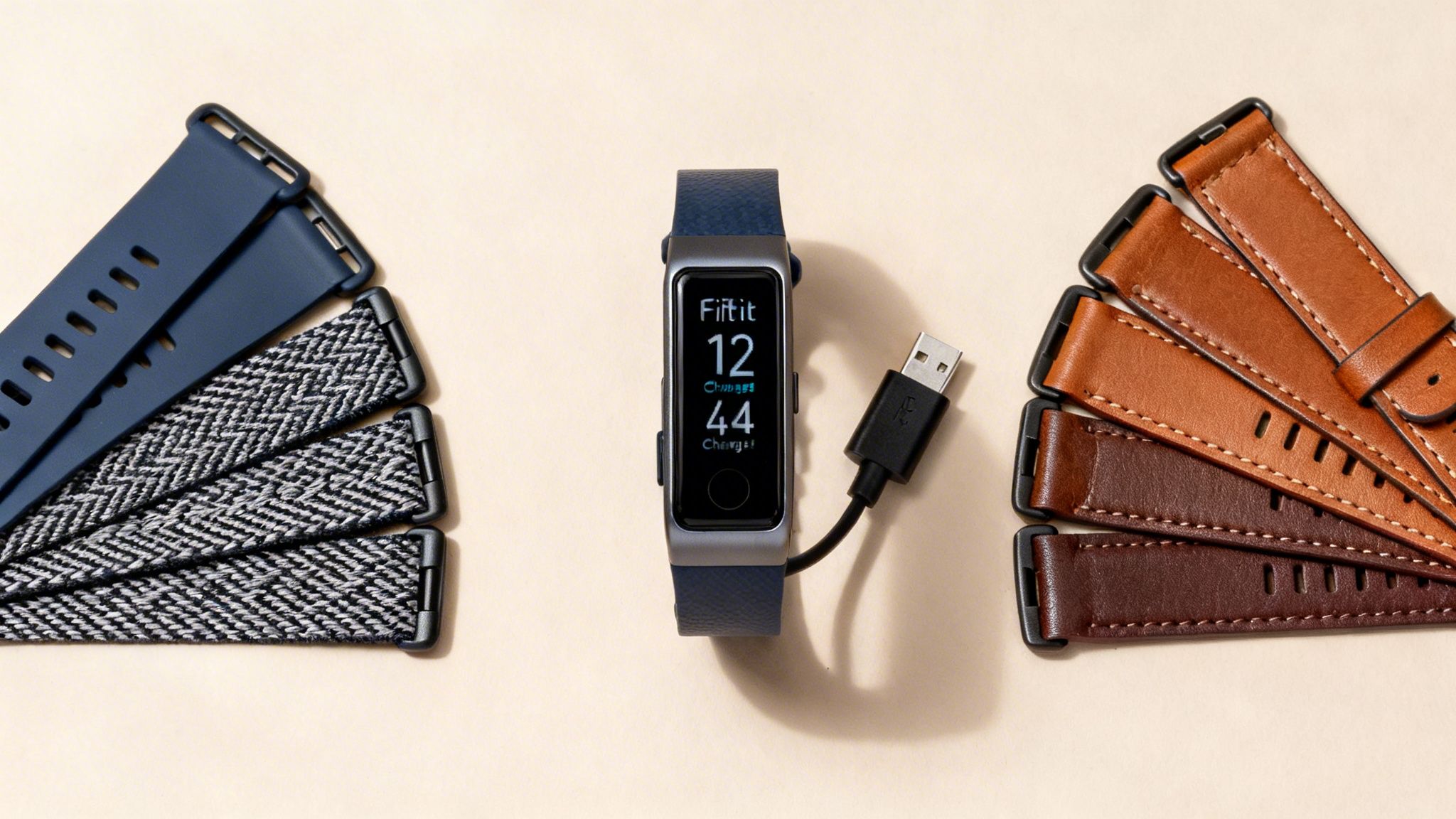
This guide is your one-stop shop for everything you need to know about Fitbit Charge 4 straps. We’ll get into the different materials, check compatibility, walk you through swapping them out, and cover the best ways to care for them. Our aim is to give you the confidence to find the ideal replacement or upgrade, making sure your tracker is always ready for action.
Why Choosing the Right Strap Is a Game-Changer
It’s easy to overlook, but your Fitbit strap is a bit like the tyres on a performance car. The engine (the tracker itself) has all the power, but it’s the tyres that grip the road and dictate comfort, performance, and safety. Your strap does the exact same job for your tracker.
Here’s why getting it right is so important:
- All-Day Comfort: Your Fitbit is with you 24/7, from smashing a HIIT session to tracking your sleep. You need a band that feels great on your skin, without rubbing or causing irritation.
- Spot-On Sensor Readings: For accurate heart rate data, the sensors on the back of the Charge 4 need to sit snugly against your skin. A secure, well-fitting strap makes that happen.
- Built for Your Lifestyle: Whether you’re a swimmer, a marathon runner, or spend your days at a desk, your band’s material needs to be tough enough to handle whatever you throw at it.
- A Touch of Your Own Style: The best part about swappable bands is the freedom. You can instantly change your tracker's look to match your outfit, turning it from a piece of tech into a proper fashion accessory.
A great strap doesn't just hold the device on your wrist; it elevates the entire experience. It boosts comfort, improves functionality, and lets you show off your personal style without making any compromises.
While the right strap keeps your Fitbit Charge 4 comfortable and looking sharp, the tracker itself is an amazing tool for your fitness goals. To take things to the next level, you might want to check out the best fitness apps of this year to pair with your device.
Right, let's dive in and explore how to make your tracker uniquely yours.
Understanding Strap Compatibility and Sizing
Before you get lost in the exciting world of colours and materials for your Fibit Charge 4 straps, there's a crucial first step: making sure the band will actually fit your device. Think of your Fitbit’s strap connector like a unique key. Only a band with that exact shape will click securely into place, so a generic watch strap from just anywhere won't cut it.
This specific design is what gives you that solid, reliable connection, but it also means you have to pay close attention to compatibility. Get this right from the start, and you'll save yourself a lot of frustration down the line.
Cross-Compatibility With Other Fitbit Models
Here's a handy tip that could save you time and money: Fitbit Charge 4 straps are perfectly interchangeable with Fitbit Charge 3 straps. They share the exact same connection mechanism, so if you're upgrading from a Charge 3 or spot a band advertised for that model, you can buy it with complete confidence.
However, and this is a big one, that compatibility stops there. The connectors were redesigned for the newer Fitbit Charge 5 and Charge 6, which means their straps are not backwards-compatible. This is one of the most common mistakes people make, so always double-check that the strap you want is explicitly listed for the Charge 4 or Charge 3.
The rule of thumb is simple: a Charge 4 strap fits a Charge 3, and a Charge 3 strap fits a Charge 4. Any other model, like the Charge 5 or 6, needs a completely different band.
This focus on customisation was a big part of Fitbit's strategy, especially when the Charge 4 launched in the UK. The ability to easily swap bands was a massive selling point. In fact, many reviews at the time praised this user-friendly design, highlighting how easy it was to swap them in and out – a feature that really resonated with UK customers.
Finding Your Perfect Size for a Better Fit
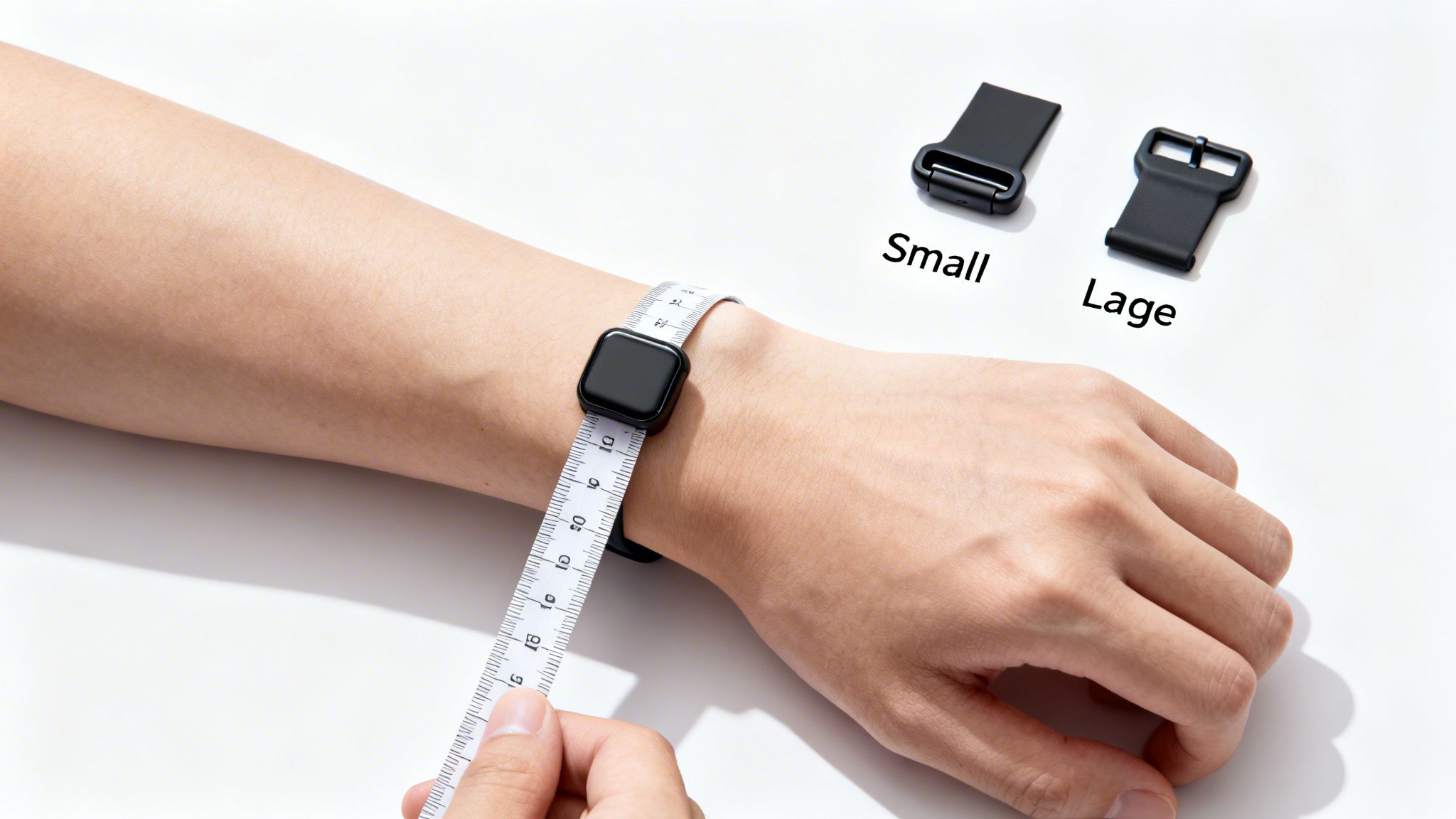
Once you've confirmed the band will click into your device, the next step is making sure it's the right fit for your wrist. Getting the size right isn't just about comfort; it's absolutely essential for the heart rate sensor to work accurately.
If the strap is too loose, the sensor can’t get a steady reading. If it's too tight, it will feel uncomfortable and can even restrict blood flow, which also messes with the sensor’s accuracy.
Most Fibit Charge 4 straps, including the original one that came in the box, are sold in two standard sizes:
- Small: Typically fits wrists with a circumference of roughly 140 mm to 180 mm.
- Large: Designed for wrists measuring between 180 mm and 220 mm.
To figure out which one you need, you’ll have to measure your wrist. Don't worry, it’s a quick and simple job that guarantees you order the right band the first time around.
How to Measure Your Wrist Correctly
- Grab a measuring tool. A flexible tailor's tape is perfect. If you don't have one, a piece of string and a regular ruler will work just as well.
- Wrap it around your wrist. Place the tape or string where you'd normally wear your watch. It should feel snug, but not uncomfortably tight.
- Note the measurement. With a measuring tape, just read the number where the end overlaps. If you're using string, mark the point where the end meets the loop, then lay it flat against a ruler to get the length.
With that measurement in hand, you can confidently choose between the small or large size options. For more detailed instructions and tips, have a look at our complete guide on how to measure your watch band size for a perfect fit. Knowing your exact size lets you shop smart and find a band that feels like it was made just for you.
Choosing the Right Material for Your Lifestyle
The material of your Fibit Charge 4 strap is about so much more than just looks—it’s about how it feels, performs, and stands up to your day-to-day life. Think of it like picking the right pair of shoes. You wouldn't wear your fancy leather brogues for a 10k run, and you probably wouldn’t show up to a wedding in your grubby running trainers. The exact same logic applies here.
Matching the strap material to your lifestyle is the secret to all-day comfort and durability. Whether you’re smashing a workout, trying to look sharp in the office, or just want something soft enough for sleep tracking, there’s a perfect material waiting for you. Let’s break down the most popular choices to find your ideal match.
Silicone: The All-Round Performer
Silicone is what most fitness trackers come with straight out of the box, and for very good reason. It’s the versatile workhorse of the strap world. Made from a soft, flexible, and surprisingly tough synthetic rubber, silicone is built to handle pretty much anything you can throw at it.
Its biggest selling point is how well it resists water and sweat, making it the go-to choice for swimmers, runners, and anyone who's a regular at the gym. Because it's non-porous, it doesn't soak up moisture, which stops it from getting smelly or breaking down over time. Better yet, it's incredibly easy to clean; a quick rinse with a bit of soap and water is all it takes to keep it looking new.
- Best for: High-intensity workouts, swimming, and general everyday wear.
- Pros: Waterproof, sweat-resistant, durable, and a doddle to clean.
- Cons: Can sometimes trap moisture against the skin, which might lead to irritation if you don't dry it properly after a session.
Woven Nylon: For Ultimate Breathability
If comfort is your absolute top priority, you really can't go wrong with a woven nylon strap. Unlike silicone, which can feel a bit clammy after a while, nylon is made from thousands of finely woven threads. This design lets air circulate freely, making it incredibly comfortable, especially when the weather gets warm or you’re wearing it for long stretches.
Nylon bands feel light and soft against the skin, which also makes them a brilliant option for sleep tracking. They have a more casual, relaxed vibe than silicone, perfect for weekends or a laid-back office. They can get wet and will dry out fairly quickly, but they aren't quite as suited for a dip in the pool as silicone is.
For many people, the soft and light feel of a woven nylon band is a complete game-changer. It’s the kind of strap you can put on and genuinely forget you’re wearing, which is the ultimate test of comfort.
You can dive deeper into what makes this material so popular in our detailed look at the benefits of a nylon watch strap.
Leather: For a Touch of Class
When you need to smarten up your Fitbit Charge 4 for the office or a special occasion, nothing beats the timeless appeal of a leather strap. A genuine leather band instantly elevates your tracker, turning it from a piece of fitness tech into a sophisticated accessory.
Leather is loved for its classic style and the way it develops a unique character, or patina, over time, becoming truly yours. It's comfortable and looks professional, but it does need a bit more looking after. You absolutely have to keep leather away from water and sweat, as moisture can cause it to discolour, crack, or lose its shape. This means it's one to swap out before a workout.
Metal Bands: For Sleek Durability
For a more modern and elegant look, a stainless steel or Milanese loop strap is a fantastic choice. These metal bands have a premium feel and are incredibly durable, shrugging off scratches and scuffs far better than other materials.
- Stainless Steel Link: This style uses individual links, giving it that classic, substantial look you'd find on a traditional luxury watch.
- Milanese Loop: Made from a fine mesh of woven stainless steel, this band is infinitely adjustable thanks to a magnetic clasp, guaranteeing a perfect fit on any wrist.
Both are great for professional settings or a night out. While they’re generally water-resistant, it’s wise to keep them away from harsh chemicals or saltwater. Their main downside is their weight—they're heavier than other options and not ideal for high-impact sports.
Here’s a quick comparison to help you weigh your options:
Fitbit Charge 4 Strap Material Comparison
This table gives you a quick-glance comparison of the most common strap materials, helping you pinpoint the best one for your routine and style.
| Material | Best For | Pros | Cons |
|---|---|---|---|
| Silicone | Workouts, swimming, everyday use | Waterproof, durable, easy to clean | Can trap sweat, might irritate sensitive skin |
| Nylon | All-day comfort, sleep tracking | Breathable, lightweight, soft feel | Absorbs moisture, less ideal for swimming |
| Leather | Office, formal events, smart casual | Elegant, classic, develops a unique patina | Not water-resistant, requires more care |
| Metal | Professional settings, evening wear | Highly durable, premium look, sophisticated | Heavier, less comfortable for sports |
Ultimately, the best strap is the one that fits seamlessly into your life, so don't be afraid to have a couple of different options to swap between
A Step-by-Step Guide to Changing Your Strap
One of the best things about the Charge 4 is how easy it is to swap out the straps. You don't need any special tools or tiny, fiddly parts – the whole process takes just a few seconds. Think of it like changing a lens on a camera; a quick click is all it takes to give your tracker a whole new look and feel.
Once you’ve done it a couple of times, you'll be able to switch between your gym band and your work band without even thinking about it.
How to Remove the Old Strap
The secret to getting the old strap off smoothly is finding the small release latch on the back of the tracker, right where the band connects to the main body.
- Turn it over: Flip your Charge 4 around so you’re looking at the back, where the heart rate sensor is.
- Find the latch: You’ll spot a small, flat button on each end where the strap joins the tracker. It sits flush with the casing.
- Press and slide: Use a thumbnail or fingertip to gently press down on this latch. While holding it down, just slide the strap away from the tracker. It should come off with barely any effort.
- Repeat on the other side: Do the same thing for the other half of the band.
Expert Tip: If a strap feels a bit stuck, don't try to yank it out. Nine times out of ten, a tiny bit of dust or grit is the culprit. Just give the connection point a quick wipe with a dry cloth, and it should slide right out.
This simple flowchart shows which materials work best for whatever you've got planned for the day.
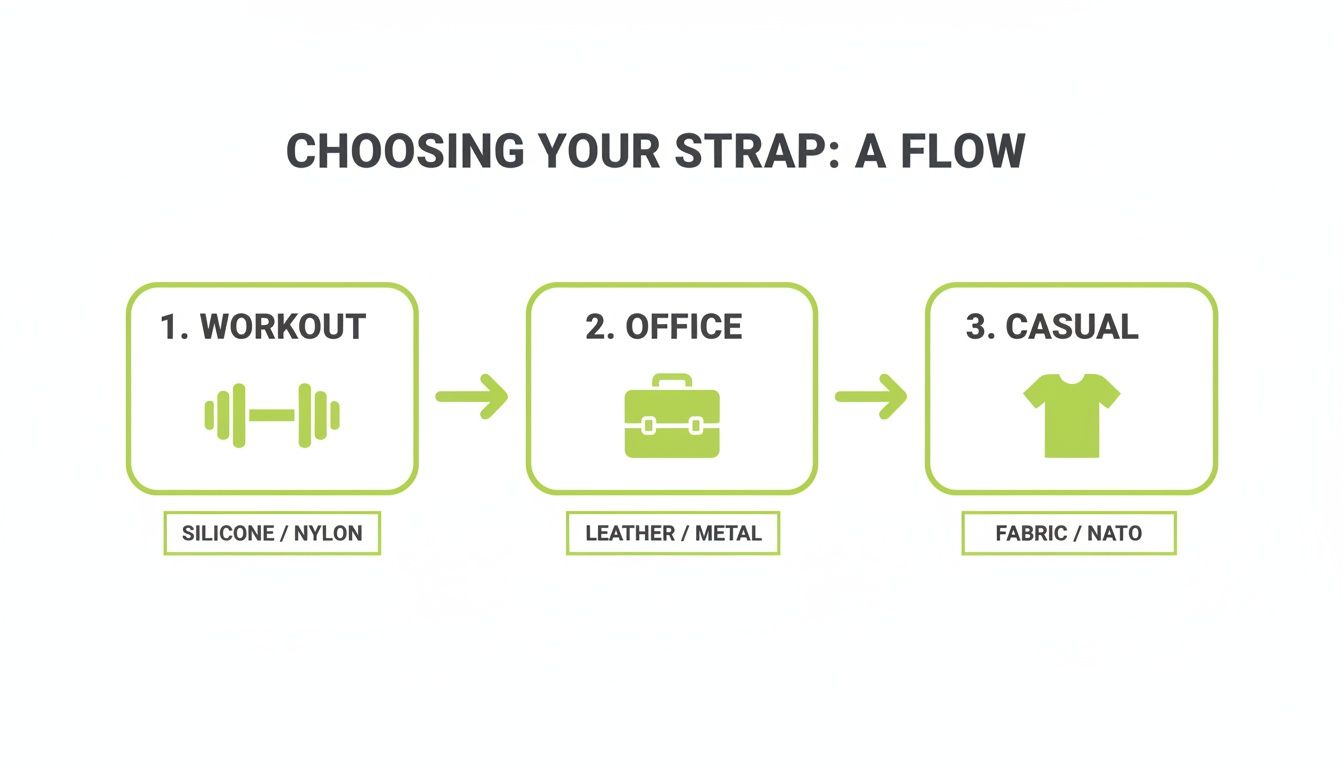
As you can see, something like silicone is a no-brainer for workouts, while leather or metal is a much better fit for the office.
How to Attach a New Strap
Putting your new band on is just as simple. The mechanism is designed to give you some clear feedback, so you’ll know for certain when it's locked in properly.
First, check you have the right strap piece for each side. The buckle half usually goes on the top of the tracker (closest to the top of the screen), but feel free to set it up however feels most comfortable for you.
- Line it up: Take one end of the new strap and align its connector with the slot on the tracker.
- Slide it in: Gently guide the strap into the slot. It should move in smoothly without any resistance.
- Listen for the click: This is the important bit. Keep pushing until you hear a solid, satisfying "click." That little sound is your confirmation that the strap is locked securely in place.
- Give it a gentle tug: Don't skip this final check. Once you've heard the click, give the band a little pull away from the tracker. If it’s attached correctly, it won't budge at all. This simple test ensures your Fitbit won't be taking a tumble.
- Repeat for the other side: Now just follow the same steps to attach the other half of your new band.
That’s all there is to it. In less than a minute, you’ve given your Fitbit Charge 4 a complete makeover. Getting the hang of this simple skill lets you effortlessly match your tracker to any outfit, activity, or mood, making it a truly versatile piece of kit.
How to Clean and Maintain Your Straps
Keeping your Fibit Charge 4 straps clean is one of the easiest ways to make sure they feel good, look great, and last as long as possible. Think about it – your strap is on your wrist all day, collecting sweat, skin oils, lotion, and everyday grime. If you let that build up, it can sometimes lead to skin irritation or even cause the material to wear out prematurely.
The good news? A little regular TLC goes a seriously long way. The trick is to match your cleaning routine to the strap's material. You wouldn't treat a leather jacket like a gym top, and the same logic applies here. Let's break down the best way to care for each type.
Simple Cleaning for Silicone Bands
Silicone is by far the easiest material to look after, which is exactly why it’s the go-to for fitness trackers. It’s tough, non-porous, and really good at shrugging off dirt and sweat.
For a quick, regular clean, all you need is some mild, soap-free cleanser (something like Cetaphil, or even basic hand soap will do) and lukewarm water. Just work up a lather, give the strap a gentle rub with your fingers, and rinse it well. The most important part? Pat it dry with a soft, lint-free cloth and make absolutely certain it’s bone dry before you pop it back on your tracker. This stops moisture from getting trapped against your skin, which is a common culprit for irritation.
The real secret here is consistency. A quick rinse after a sweaty gym session can stop grime from ever getting a foothold, keeping your strap feeling fresh and clean every single day.
If you're dealing with tougher stains or a bit of discolouration, we've got more tips in our guide on how to clean silicone watch bands for a like-new look.
Gentle Care for Woven Nylon Straps
People love woven nylon bands because they’re so breathable, but those tiny fibres can be a magnet for dust and sweat. Cleaning them just requires a slightly different technique.
- Mix up a cleaning solution. Add a tiny drop of gentle laundry detergent or mild soap to a bowl of cool water.
- Soak and scrub. Let the strap sit in the solution for a few minutes to help loosen any dirt. Then, grab a soft-bristled brush (an old toothbrush is perfect for this) and gently scrub the fabric. Pay a little extra attention to any stubborn spots.
- Rinse and air dry. Hold the band under cool, running water until you're sure all the soap is gone. Gently squeeze out the extra water and lay it flat on a towel to air dry completely. Whatever you do, don't use a hairdryer or stick it in direct sunlight – intense heat can damage the nylon fibres.
Looking After Leather and Metal Bands
Your smarter straps, like leather and metal, need a bit more specialised care to keep them looking sharp. Remember, these materials aren’t really meant for workouts or getting wet.
-
Leather Straps: The number one rule is to never submerge leather in water. For daily cleaning, just wipe it down with a dry, soft cloth. If you have a stubborn spot, you can use a cloth that's barely damp, but make sure you dry it immediately. Every so often, treating it with a proper leather conditioner will keep the material supple and prevent it from cracking.
-
Metal Straps: For stainless steel or Milanese loop bands, a quick wipe with a lint-free microfibre cloth is usually all it takes to get rid of fingerprints and smudges. If it needs a little more help, you can lightly dampen the cloth. Just steer clear of any harsh chemicals or abrasive cleaners that could scratch that polished finish. With the right care, these premium bands will stay looking their best for ages.
Troubleshooting Common Strap Issues
Even with the perfect band, you might occasionally hit a small snag. Whether it’s a fit that’s not quite right, a bit of skin sensitivity, or a latch that’s being stubborn, most common problems with Fibit Charge 4 straps are thankfully quick and easy to solve.
Dealing with these little issues promptly doesn't just make your tracker more comfortable; it also helps ensure it keeps gathering accurate data. Let's walk through the most frequent challenges and their simple fixes.
Solving Skin Sensitivity and Irritation
One of the most common complaints you hear from people with any wearable is skin irritation. If your wrist is looking red, feeling itchy, or just generally uncomfortable, it’s usually down to one of two culprits: trapped moisture or a reaction to the material itself.
Sweat, soap, and lotion can easily get trapped under any band, especially less breathable ones like silicone. This creates a damp environment that can lead to friction and irritation. The fix is simple: take your Fitbit off after workouts or after it gets wet. Make sure both your wrist and the band are completely dry before you put it back on.
If keeping it dry doesn't solve the problem, you might have a sensitivity to a particular material. It's rare, but some people can react to the nickel in metal buckles or compounds used in certain types of bands.
- Try a different material: If you think it’s a reaction, switching to a more hypoallergenic option is a great move. Woven nylon bands are incredibly breathable, and our high-quality silicone Charge 4 straps are generally very well-tolerated.
- Keep it clean: A regular cleaning routine, like we covered earlier, is brilliant for removing potential irritants before they can cause trouble.
- Don't wear it too tight: A band that’s cinched down like a tourniquet restricts air circulation and dramatically increases friction.
Most skin irritation is caused by trapped moisture, not an allergy. Simply ensuring your band and wrist are dry is the single most effective step you can take for all-day comfort.
Fixing Fit and Sensor Accuracy Problems
Has your heart rate data started looking a bit erratic all of a sudden? The problem might not be the sensor, but the fit of your strap. For that clever optical heart rate sensor to work properly, it needs to maintain consistent, gentle contact with your skin.
If a band is too loose, it can shift around on your wrist. This allows ambient light to sneak in and interfere with the sensor's readings, often causing gaps or strange spikes in your data. On the flip side, a strap that's way too tight can actually restrict blood flow, which also leads to inaccurate readings.
The sweet spot is a band that's snug enough not to slide about, but not so tight that it leaves a deep mark. As a rule of thumb, you should be able to slide a fingertip underneath it comfortably.
What to Do When a Latch Won't Click or Release
Every now and then, a strap latch can feel a bit stuck or refuse to give you that satisfying "click" when you attach it. Nine times out of ten, this is caused by a tiny bit of debris getting lodged in the mechanism. Whatever you do, don't force it—that’s a quick way to damage the connector on your strap or tracker.
Instead, take a close look at the latch on the strap and the slot on the tracker body. You can usually clear out any dust or lint with a dry, soft-bristled brush (a clean toothbrush is perfect for this) or a quick puff of compressed air. This simple cleaning step almost always solves the issue, allowing the strap to lock securely into place. A clean connection is a secure connection.
Got Questions About Your Charge 4 Strap? We've Got Answers.
Let's dive into some of the questions that pop up most often when you're looking for a new strap for your Fitbit Charge 4. Think of this as your go-to cheat sheet for getting it right the first time.
Will a Fitbit Charge 5 Strap Fit My Charge 4?
I hear this one all the time, and it’s a crucial one to get right. The short answer is a definite no. While the Fitbit Charge 4 and Charge 3 share the exact same connector and their straps are completely interchangeable, Fitbit changed the design for the Charge 5.
That new connector design means any strap made for a Charge 5 (or a Charge 6, for that matter) simply won't click into your Charge 4. When you're shopping, make sure the band is explicitly listed as compatible with the Charge 4 or Charge 3. It’s a simple check that saves a lot of hassle.
What's the Best Strap Material for Swimming?
If you're hitting the pool or heading to the beach, silicone is your best friend. Hands down. It's completely waterproof, so it doesn't absorb water, get heavy, or get damaged by chlorine.
Just give it a quick rinse under the tap and pat it dry when you're done, and it’ll look good as new. Other materials like nylon can get wet, of course, but they stay damp for a while and aren't built for repeated swims. And it goes without saying, but keep your leather and metal straps high and dry.
Pro Tip: For any water-based activity, stick with silicone. It’s durable, easy to clean, and gives you total peace of mind, so you can focus on your swim, not your strap.
How Do I Figure Out If I Need a Small or a Large Band?
Getting the size right isn't just about comfort—it's also key for getting an accurate heart rate reading. Most Fibit Charge 4 straps come in two main sizes that fit almost everyone.
- Small: Generally fits wrists from 140 mm to 180 mm around.
- Large: Perfect for wrists measuring 180 mm to 220 mm in circumference.
The easiest way to know for sure is to grab a flexible measuring tape and wrap it around your wrist where you wear your tracker. No tape? No problem. A piece of string and a ruler work just as well. This one quick measurement will tell you exactly which size you need for a snug, secure fit from day one.
Could a Third-Party Strap Damage My Fitbit?
Not if you buy from a reputable source. A well-made band from a specialist seller is designed to meet the exact same specifications as Fitbit's own, ensuring it clicks in securely without any risk to your device. The trick is to stick with brands that know their stuff and have great customer reviews.
Be wary of those ultra-cheap, no-name bands you might see online. Their connectors can be poorly manufactured, leading to a wobbly fit or making it a nightmare to swap out. A quality strap will click satisfyingly into place and feel just as solid as the original. Just give it a gentle tug after you attach it to make sure it's locked in.
Ready to find a band that feels like it was made just for you? Check out the full collection of comfortable, stylish, and durable bands at Nothing But Bands.